Understanding Variables and Data Types in JavaScript — The Complete Beginner's Guide
Learn JavaScript variables (var, let, const) and data types with real-life analogies, clear code examples, comparison diagrams, and hands-on assignments. A practical guide written from 4+ years of full-stack development experience.
15 min read
Share
- What Are Variables?
- In Code
- Why Do We Need Variables?
- Declaring Variables: var, let, and const
- 1. `var` — The Old Way (Avoid This)
- 2. `let` — For Values That Change
- 3. `const` — For Values That Don't Change
- var vs let vs const — The Complete Comparison
- The Golden Rule
- JavaScript Data Types
- 1. String — Text
- 2. Number — Numeric Values
- 3. Boolean — True or False
- 4. Undefined — No Value Assigned
- 5. Null — Intentionally Empty
- Data Types Quick Reference
- Checking Types with `typeof`
- Understanding Scope (Beginner-Friendly)
- The House Analogy
- Global Scope
- Block Scope (let and const)
- var Ignores Block Scope (The Problem!)
- Naming Variables — Best Practices
- Rules (Must Follow)
- Conventions (Should Follow)
- Hands-On Assignment
- Task 1: Declare and Print Variables
- Task 2: Try Changing Values
- Task 3: Explore Data Types
- Task 4: Scope Experiment
- Common Mistakes Beginners Make
- Mistake 1: Using `var` in Modern Code
- Mistake 2: Forgetting `let`/`const` (Accidental Globals)
- Mistake 3: Confusing `=` with `==`
- Mistake 4: String + Number Surprise
- Quick Reference Cheat Sheet
- Variable Declaration
- Data Types
- Type Checking
- Key Takeaways
- What's Next?
Before you can build a website, create an API, or write a single useful program — you need to understand variables and data types. They are the absolute foundation of JavaScript and every other programming language.
After 4+ years of building full-stack applications, I can tell you: getting this foundation right will save you countless hours of debugging later.
Let's break it down from scratch.
What Are Variables?
Imagine you have a box at home. You stick a label on it — maybe "Books" — and you put things inside. Later, when you need what's inside, you just look for the box labeled "Books."
Variables work exactly like that.
Variables = Labeled Boxes
A variable is a named container that stores a value in your program's memory. The name is the label, and the value is what's inside the box.
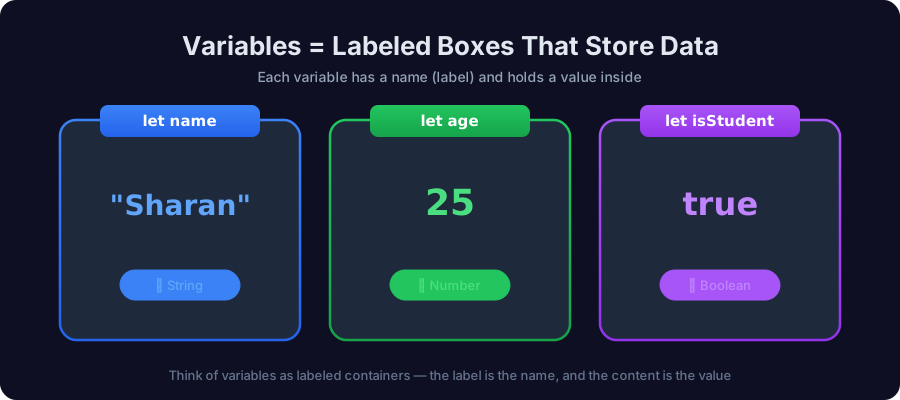 Variables as labeled boxes — name stores a string, age stores a number, isStudent stores a boolean
In Code
let name = "Sharan";
let age = 25;
let isStudent = true;
Here:
nameis a box labeled "name" containing the text"Sharan"ageis a box labeled "age" containing the number25isStudentis a box labeled "isStudent" containing the valuetrue
Why Do We Need Variables?
Without variables, you'd have to hard-code every value directly:
// ❌ Without variables — messy and repetitive
console.log("Hello, Sharan! You are 25 years old.");
console.log("Sharan's student status: true");

// ✅ With variables — clean and flexible
let name = "Sharan";
let age = 25;
let isStudent = true;

console.log("Hello, " + name + "! You are " + age + " years old.");
console.log(name + "'s student status: " + isStudent);
What if the user changes? With variables, you update one line and everything works. Without them, you'd hunt through your entire codebase.
Pro Tip from the Field
In real-world projects, hard-coded values are called magic values and they're one of the first things senior developers flag in code reviews. Always use variables.
Declaring Variables: var, let, and const
JavaScript gives you three ways to create variables. Think of them as three types of boxes with different rules.
1. var — The Old Way (Avoid This)
var was the original way to declare variables in JavaScript. It still works, but it has some confusing quirks that cause bugs.
var city = "Bangalore";
console.log(city); // "Bangalore"

var city = "Mumbai"; // ⚠️ No error! Silently redeclares
console.log(city); // "Mumbai"
Problem: var allows you to accidentally redeclare the same variable, which can introduce hard-to-find bugs in large codebases.
2. let — For Values That Change
let is the modern way to declare variables whose values will change during the program.
let score = 0;
console.log(score); // 0

score = 10; // ✅ Reassigning is fine
console.log(score); // 10

// let score = 20; // ❌ Error! Can't redeclare
Use let when: the value will be updated — counters, user input, game scores, etc.
3. const — For Values That Don't Change
const is for constants — values that should never be reassigned once set.
const PI = 3.14159;
console.log(PI); // 3.14159

// PI = 3.14; // ❌ TypeError: Assignment to constant variable
Use const when: the value should stay the same — configuration values, API URLs, mathematical constants.
const API_URL = "https://api.example.com";
const MAX_RETRIES = 3;
const APP_NAME = "MyApp";
const doesn't mean immutable
const prevents reassignment, not mutation. If you store an object or array in const, you can still change its contents:
const user = { name: "Sharan" };
user.name = "Ajay"; // ✅ This works! Object contents can change
// user = {};        // ❌ This fails! Can't reassign the variable
var vs let vs const — The Complete Comparison
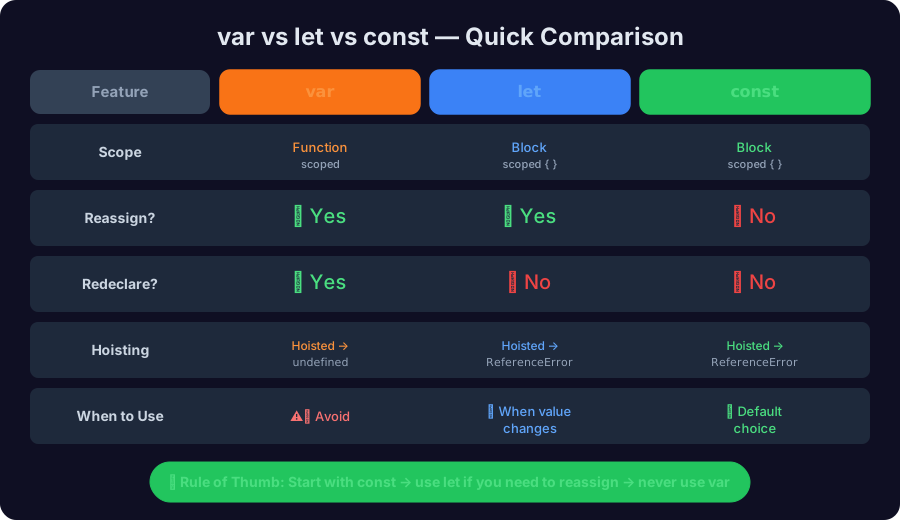 Comparison table showing differences between var, let, and const
| Feature | var | let | const |
|---|---|---|---|
| Scope | Function | Block { } | Block { } |
| Reassign? | ✅ Yes | ✅ Yes | ❌ No |
| Redeclare? | ✅ Yes (risky!) | ❌ No | ❌ No |
| Hoisting | Hoisted as undefined | Hoisted but not initialized | Hoisted but not initialized |
| When to use | ⚠️ Avoid | 🔄 Changing values | ⭐ Default choice |
The Golden Rule
How I Declare Variables in Production Code
- Start with
const— it's the safest default - Switch to
let— only if you need to reassign the value - Never use
var— it causes scoping bugs in modern code
This is the practice followed at most professional development teams.
Where a variable can be reached depends on how it was declared:
1/3
JavaScript Data Types
Every value in JavaScript has a type. Think of types as the kind of content your box holds. You wouldn't put water in a cardboard box meant for books, right?
JavaScript has 7 primitive data types (simple, standalone values) and 1 reference type (objects). Let's focus on the 5 most common primitives for now.
1. String — Text
Strings represent text. Wrap them in quotes (single, double, or backticks).
let firstName = "Sharan";        // double quotes
let lastName = 'Tenginamath';    // single quotes
let greeting = `Hello, ${firstName}!`; // template literal (backticks)

console.log(greeting); // "Hello, Sharan!"
Template Literals are your best friend
Use backticks and ${} to embed variables inside strings. It's cleaner than string concatenation with +.
// ❌ The old way
let msg = "Hello, " + firstName + "! You are " + age + " years old.";

// ✅ The modern way
let msg = `Hello, ${firstName}! You are ${age} years old.`;
2. Number — Numeric Values
JavaScript uses a single Number type for both integers and decimals.
let age = 25;          // integer
let price = 99.99;     // decimal (float)
let negative = -10;    // negative number
let billion = 1e9;     // 1,000,000,000 (scientific notation)

console.log(age + price);  // 124.99
console.log(typeof age);   // "number"
3. Boolean — True or False
Booleans represent yes/no, true/false, on/off states. They're the backbone of all decision-making in code.
let isLoggedIn = true;
let hasPermission = false;
let isAdult = age >= 18; // true (because 25 >= 18)

console.log(isAdult);    // true
console.log(typeof isLoggedIn); // "boolean"
4. Undefined — No Value Assigned
When you declare a variable but don't give it a value, JavaScript automatically assigns undefined.
let middleName;
console.log(middleName); // undefined
console.log(typeof middleName); // "undefined"
Think of it as: "I prepared a box and put a label on it, but I haven't put anything inside yet."
5. Null — Intentionally Empty
null means you deliberately set a variable to have no value. It's an explicit "nothing."
let selectedProduct = null;
console.log(selectedProduct); // null
console.log(typeof selectedProduct); // "object" (this is a known JS bug!)
null vs undefined — When to Use Which?
undefined= "I forgot to put something in the box" (JavaScript did it)null= "I deliberately emptied the box" (You did it intentionally)
In practice, use null when you want to explicitly say "no value here."
Data Types Quick Reference
| Type | Example | Use Case |
|---|---|---|
| String | "Hello", 'World' | Names, messages, URLs |
| Number | 42, 3.14, -7 | Age, price, calculations |
| Boolean | true, false | Conditions, flags, toggles |
| Undefined | undefined | Uninitialized variables |
| Null | null | Intentional absence of value |
Checking Types with typeof
The typeof operator tells you what type a value is:
console.log(typeof "Sharan");     // "string"
console.log(typeof 25);           // "number"
console.log(typeof true);         // "boolean"
console.log(typeof undefined);    // "undefined"
console.log(typeof null);         // "object" ← JavaScript bug!
console.log(typeof {});           // "object"
console.log(typeof []);           // "object" (arrays are objects!)
Known JavaScript Quirk
typeof null returns "object" — this is a famous bug from the very first version of JavaScript (1995) that was never fixed because too much code depends on it. Just be aware of it!
Understanding Scope (Beginner-Friendly)
Scope determines where a variable can be accessed in your code. Think of it like rooms in a house.
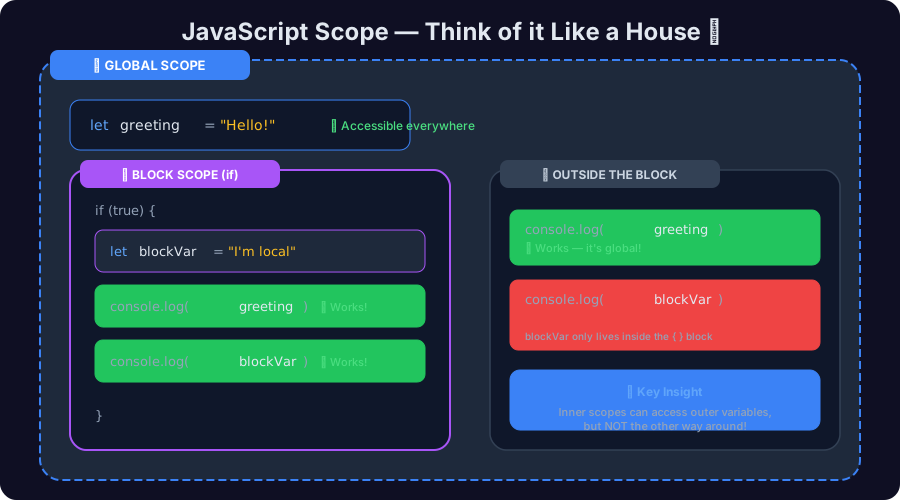 JavaScript scope visualization — global scope as a house, block scope as rooms inside
The House Analogy
- Global Scope = the entire house. Things here are accessible from any room.
- Block Scope = a specific room. Things inside a room are only accessible in that room.
Global Scope
Variables declared outside any block or function are globally scoped:
let appName = "MyApp"; // 🌍 Global — accessible everywhere

function showName() {
  console.log(appName); // ✅ Works — can see global variables
}

showName(); // "MyApp"
console.log(appName); // ✅ Works — still global
Block Scope (let and const)
Variables declared with let or const inside a block { } are only accessible within that block:
if (true) {
  let secret = "I'm hidden";
  const password = "12345";
  console.log(secret);   // ✅ Works — inside the block
}

// console.log(secret);   // ❌ ReferenceError — secret doesn't exist here
// console.log(password); // ❌ ReferenceError — password doesn't exist here
var Ignores Block Scope (The Problem!)
This is exactly why var is problematic:
if (true) {
  var leaked = "I escaped!";
}

console.log(leaked); // "I escaped!" — 😱 var ignores the block!
With var, the variable "leaks" out of the block. This is confusing and can cause bugs, especially in loops:
// ❌ Common bug with var in loops
for (var i = 0; i < 3; i++) {
  setTimeout(() => console.log(i), 100);
}
// Prints: 3, 3, 3 (not 0, 1, 2!)

// ✅ Fixed with let
for (let i = 0; i < 3; i++) {
  setTimeout(() => console.log(i), 100);
}
// Prints: 0, 1, 2 ✅
Scope in One Sentence
let and const stay inside the { } block where they're declared. var leaks out to the function level. That's why we avoid var.
Naming Variables — Best Practices
Good variable names make your code readable. Here are the rules:
Rules (Must Follow)
// ✅ Valid variable names
let firstName = "Sharan";
let _privateVar = "hidden";
let $price = 99.99;
let camelCase = "preferred";

// ❌ Invalid variable names
// let 1stPlace = "Gold";    // Can't start with a number
// let my-name = "Sharan";   // No hyphens
// let let = "value";        // Can't use reserved words
Conventions (Should Follow)
| Convention | Example | Use Case |
|---|---|---|
| camelCase | firstName, isLoggedIn | Variables and functions |
| UPPER_SNAKE_CASE | MAX_RETRIES, API_KEY | Constants |
| Descriptive names | userAge vs x | Always prefer clarity |
// ❌ Bad — what do these mean?
let a = "Sharan";
let b = 25;
let c = true;

// ✅ Good — clear and descriptive
let userName = "Sharan";
let userAge = 25;
let isActiveUser = true;
Tip
A good variable name should read like English. If a colleague reads your code, they should understand what each variable holds without needing a comment.
Hands-On Assignment
Time to practice! Create a file called variables.js and try this:
Task 1: Declare and Print Variables
// Declare variables for a person
const name = "Your Name";
let age = 25;
let isStudent = true;

// Print them to the console
console.log("Name:", name);
console.log("Age:", age);
console.log("Student:", isStudent);
Task 2: Try Changing Values
// Change values with let — works!
age = 26;
console.log("Updated age:", age); // 26

isStudent = false;
console.log("Still a student?", isStudent); // false

// Try changing const — see what happens!
// name = "New Name"; // ← Uncomment this line and run!
// 💥 TypeError: Assignment to constant variable.
Task 3: Explore Data Types
// Check the type of each variable
console.log(typeof name);      // "string"
console.log(typeof age);       // "number"
console.log(typeof isStudent); // "boolean"

// Try some operations
let greeting = `Hello, ${name}! You are ${age} years old.`;
console.log(greeting);

// What happens with different types?
console.log("5" + 3);   // "53" — string concatenation!
console.log("5" - 3);   // 2 — numeric subtraction!
console.log("5" * 2);   // 10 — numeric multiplication!
Task 4: Scope Experiment
// Try this and predict the output before running!
let globalVar = "I'm global";

if (true) {
  let blockVar = "I'm local";
  console.log(globalVar);  // What prints?
  console.log(blockVar);   // What prints?
}

console.log(globalVar);    // What prints?
// console.log(blockVar);  // What happens? Uncomment to see!
How to Run This
- Create a file called
variables.js - Paste the code
- Open your terminal
- Run:
node variables.js
You need Node.js installed. Or use the browser console (Press F12 → Console tab).
Common Mistakes Beginners Make
Mistake 1: Using var in Modern Code
// ❌ Don't do this
var name = "Sharan";

// ✅ Do this instead
const name = "Sharan";
Mistake 2: Forgetting let/const (Accidental Globals)
// ❌ Without declaration — creates a global variable!
userName = "Sharan"; // This works but pollutes global scope

// ✅ Always declare your variables
let userName = "Sharan";
Mistake 3: Confusing = with ==
let x = 10;      // Assignment: putting 10 in the box
let isEqual = (x == 10);  // Comparison: checking if x equals 10

// = means "assign this value"
// == means "is this equal to?"
// === means "is this exactly equal to?" (use this one!)
Mistake 4: String + Number Surprise
console.log("5" + 3);   // "53"  ← String concatenation!
console.log("5" - 3);   // 2    ← Numeric subtraction
console.log("5" * "2"); // 10   ← Numeric multiplication

// JavaScript tries to be "helpful" with + but it concatenates strings
// Use Number() or parseInt() to be explicit
console.log(Number("5") + 3); // 8 ✅
Quick Reference Cheat Sheet
Variable Declaration
const name = "Sharan";  // Can't reassign — use for most variables
let count = 0;          // Can reassign — use for changing values
var old = "avoid";      // Function-scoped — avoid in modern JS
Data Types
"Hello"     // String  — text
42          // Number  — numeric value
true        // Boolean — true/false
undefined   // Undefined — not yet assigned
null        // Null — intentionally empty
Type Checking
typeof "text"      // "string"
typeof 42          // "number"
typeof true        // "boolean"
typeof undefined   // "undefined"
typeof null        // "object" (bug!)
Key Takeaways
Remember These
- Variables are named containers that store values — think labeled boxes
- Use
constby default — switch toletonly when the value changes - Never use
varin modern JavaScript — it has scoping issues - JavaScript has 5 common primitive types: String, Number, Boolean, Undefined, Null
- Scope determines where variables are accessible —
let/constrespect block scope,vardoesn't - Use
typeofto check a variable's type - Name your variables descriptively using camelCase
What's Next?
Now that you understand variables and data types, you're ready to build on this foundation:
- Operators and Expressions — doing math and logic with variables
- Conditional Statements — making decisions with
if/else - Functions — creating reusable blocks of code
- Arrays and Objects — storing collections of data
Understanding variables deeply makes everything else in JavaScript click. Don't rush past this — practice the assignment above until it feels natural.
Happy coding! 🚀
Have questions about JavaScript variables? Drop a comment or reach out on Twitter @srtenginamath!

Written by Sharanayya R Tenginamath
Software Engineer at McD BERL with 4 years building scalable full-stack applications with React.js, Next.js, TypeScript, FastAPI and Python. Available to join from Oct 12, 2026.
Related articles
- JavaScript
- Web Development
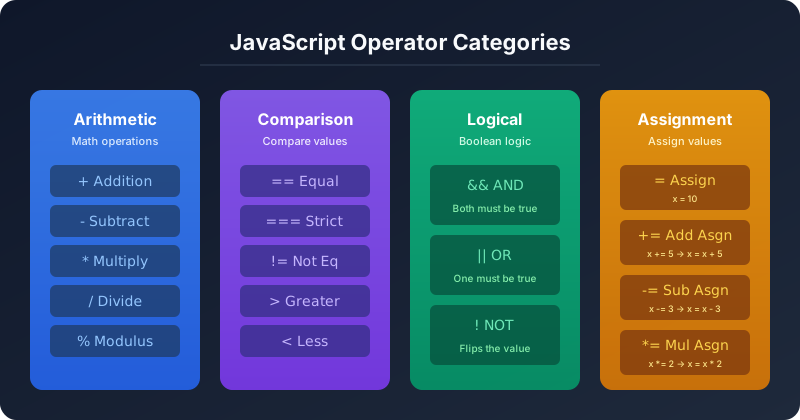
JavaScript Operators — The Basics You Need to Know
Master JavaScript operators — arithmetic, comparison, logical, and assignment — with real-world examples, visual diagrams, truth tables, and hands-on assignments. A practical guide from 4+ years of full-stack development.
19 min read
- JavaScript
- Async
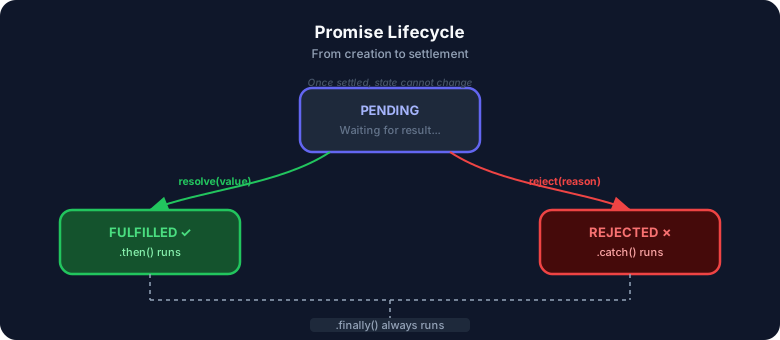
JavaScript Promises : The Complete Guide to Async Code
Master JavaScript Promises from scratch — lifecycle, .then()/.catch()/.finally(), all static methods (all, allSettled, race, any), real-world examples, visual diagrams, and hands-on assignments. Written from 4+ years of full-stack development experience.
17 min read
- CSS
- Web Development
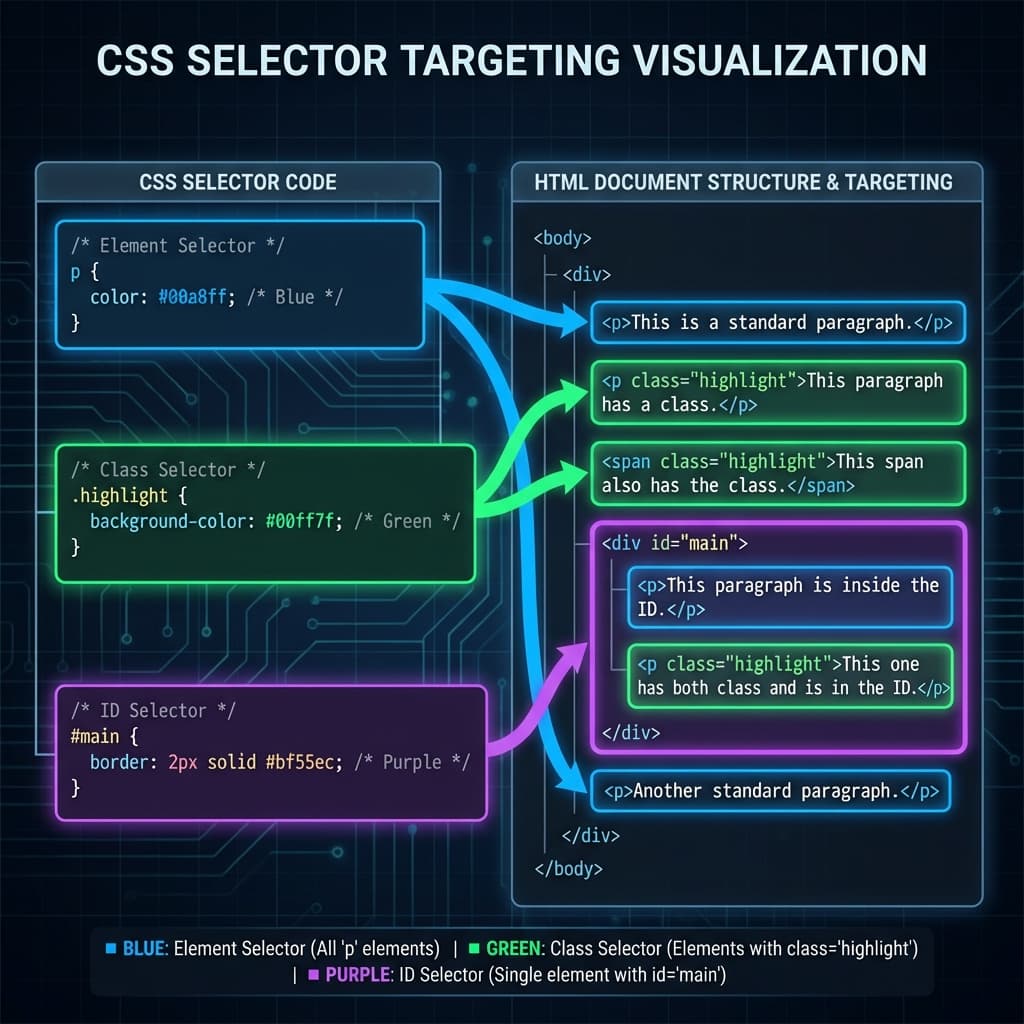
CSS Selectors 101: Targeting Elements with Precision
Master CSS selectors from basics to advanced. Learn element, class, ID, group, and descendant selectors with practical examples. Build a solid foundation for styling web pages.
11 min read