TCP Working: 3-Way Handshake & Reliable Communication Explained
Learn how TCP ensures reliable data transmission over the internet. Understand the 3-way handshake, sequence numbers, acknowledgments, retransmission, and connection termination with clear diagrams.
10 min read
Share
- Why Do We Need TCP?
- What is TCP?
- TCP vs UDP: Quick Comparison
- The TCP 3-Way Handshake
- The Three Steps
- Step 1: SYN (Synchronize)
- Step 2: SYN-ACK (Synchronize-Acknowledge)
- Step 3: ACK (Acknowledge)
- Why Three Steps?
- Understanding Sequence Numbers
- How It Works
- How Data Transfer Works
- The Flow
- Acknowledgment Rules
- How TCP Ensures Reliability
- 1. Acknowledgments
- 2. Timeouts & Retransmission
- 3. Checksums
- 4. Flow Control
- 5. Congestion Control
- Ensuring Order and Correctness
- Ordering
- Correctness
- How TCP Connections Are Closed
- The Four Steps
- Step 1: Client Sends FIN
- Step 2: Server Sends ACK
- Step 3: Server Sends FIN
- Step 4: Client Sends ACK
- TCP Connection Lifecycle Summary
- Practical Example: Loading a Webpage
- Key Takeaways
- Quick Reference
- Conclusion
Ever wondered how your messages reach WhatsApp servers correctly, or how Netflix streams video without missing frames? The answer lies in TCP – the backbone of reliable internet communication.
In this guide, I'll break down TCP from the ground up, explaining exactly how computers establish connections, transfer data reliably, and gracefully close connections.
Why Do We Need TCP?
Imagine sending a letter through the postal system. You put it in a mailbox and... hope it arrives. No confirmation, no tracking, no guarantee of delivery order.
The Internet Without Rules
Without protocols like TCP, data packets could:
- Get lost in transit and never arrive
- Arrive out of order (packet 3 before packet 1)
- Arrive corrupted with errors
- Arrive multiple times (duplicates)
TCP (Transmission Control Protocol) solves all these problems. It's like sending registered mail with:
- Delivery confirmation
- Sequential numbering
- Error checking
- Automatic resending if lost
What is TCP?
TCP is a connection-oriented protocol that provides reliable, ordered, and error-checked delivery of data between applications.
TCP vs UDP: Quick Comparison
| Feature | TCP | UDP |
|---|---|---|
| Connection | Required (handshake) | Not required |
| Reliability | Guaranteed delivery | Best effort |
| Order | Packets arrive in order | No ordering |
| Speed | Slower (more overhead) | Faster |
| Use Cases | Web, Email, File Transfer | Gaming, Video Calls, DNS |
Info
Think of TCP like a phone call – you establish a connection, have a conversation, and hang up. UDP is like shouting across a room – fast, but no guarantee they heard you correctly.
The TCP 3-Way Handshake
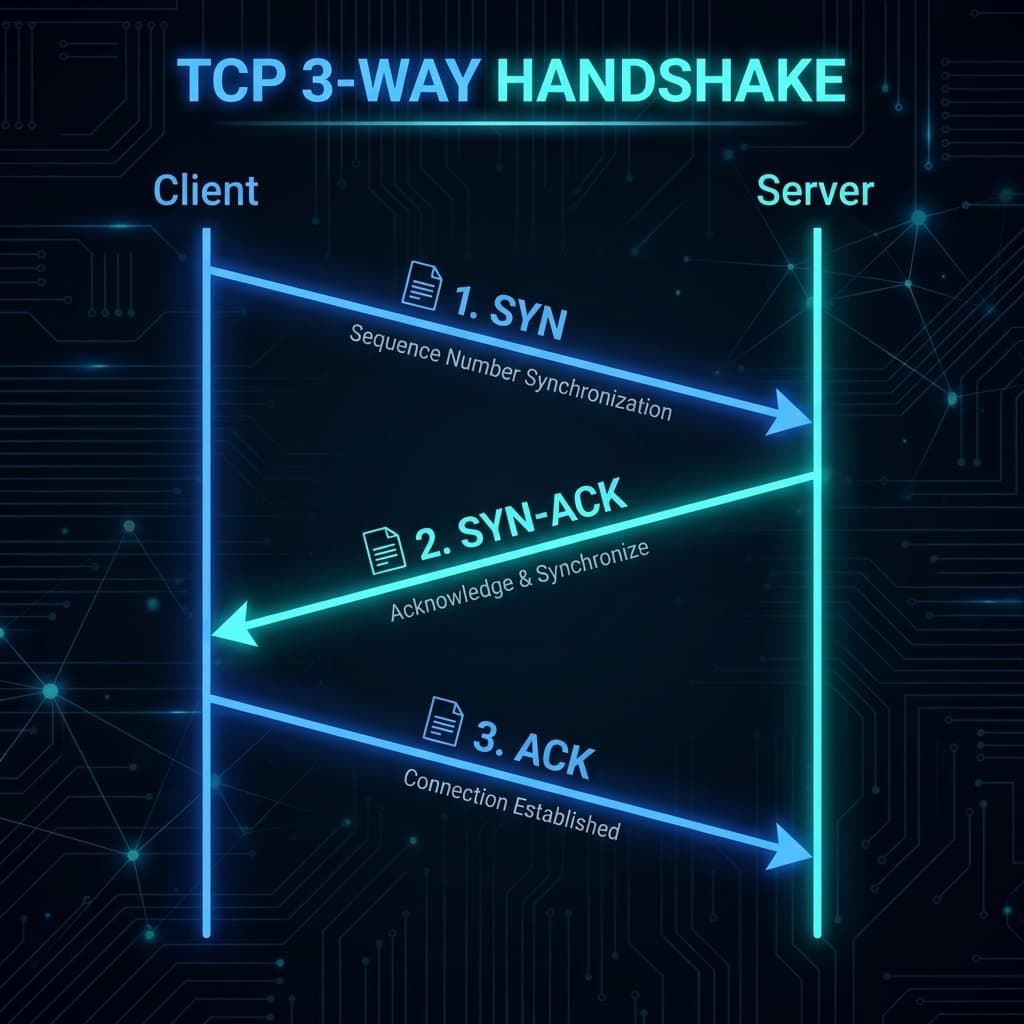
Before any data is exchanged, TCP establishes a connection using a 3-way handshake. This ensures both parties are ready to communicate.
TCP 3-Way Handshake showing SYN, SYN-ACK, and ACK between Client and Server
The Three Steps
Step 1: SYN (Synchronize)
The client initiates the connection by sending a SYN packet:
Client → Server
"Hey, I want to talk! My sequence number starts at 100."

SYN, SEQ=100
Step 2: SYN-ACK (Synchronize-Acknowledge)
The server responds with its own SYN and acknowledges the client's request:
Server → Client
"Got it! I'm ready too. My sequence number starts at 300.
 I'm expecting your next byte to be 101."

SYN-ACK, SEQ=300, ACK=101
Step 3: ACK (Acknowledge)
The client confirms receipt and the connection is established:
Client → Server
"Perfect! I got your message. Expecting byte 301 from you."

ACK, SEQ=101, ACK=301
Real-World Analogy
Think of it like a phone call:
- SYN: "Hello?" (caller initiates)
- SYN-ACK: "Hello! Yes, I can hear you." (receiver confirms)
- ACK: "Great, I can hear you too!" (caller confirms)
Now you can start talking!
Why Three Steps?
- Step 1: Client proves it can send
- Step 2: Server proves it can send AND receive
- Step 3: Client proves it can receive
Without all three, we can't be sure both directions work!
Step through the handshake packet by packet:
1/4
Understanding Sequence Numbers
Sequence numbers are the backbone of TCP's reliability. Each byte of data gets a unique number.
How It Works
// Simplified example
const data = "Hello"; // 5 bytes

// TCP breaks this into segments
Segment 1: "Hel" → SEQ=100 (bytes 100-102)
Segment 2: "lo"  → SEQ=103 (bytes 103-104)
The receiver uses sequence numbers to:
- Reorder packets that arrive out of order
- Detect missing packets (gaps in sequence)
- Eliminate duplicates (same sequence number twice)
How Data Transfer Works
Once the handshake is complete, data flows between client and server with acknowledgments confirming receipt.
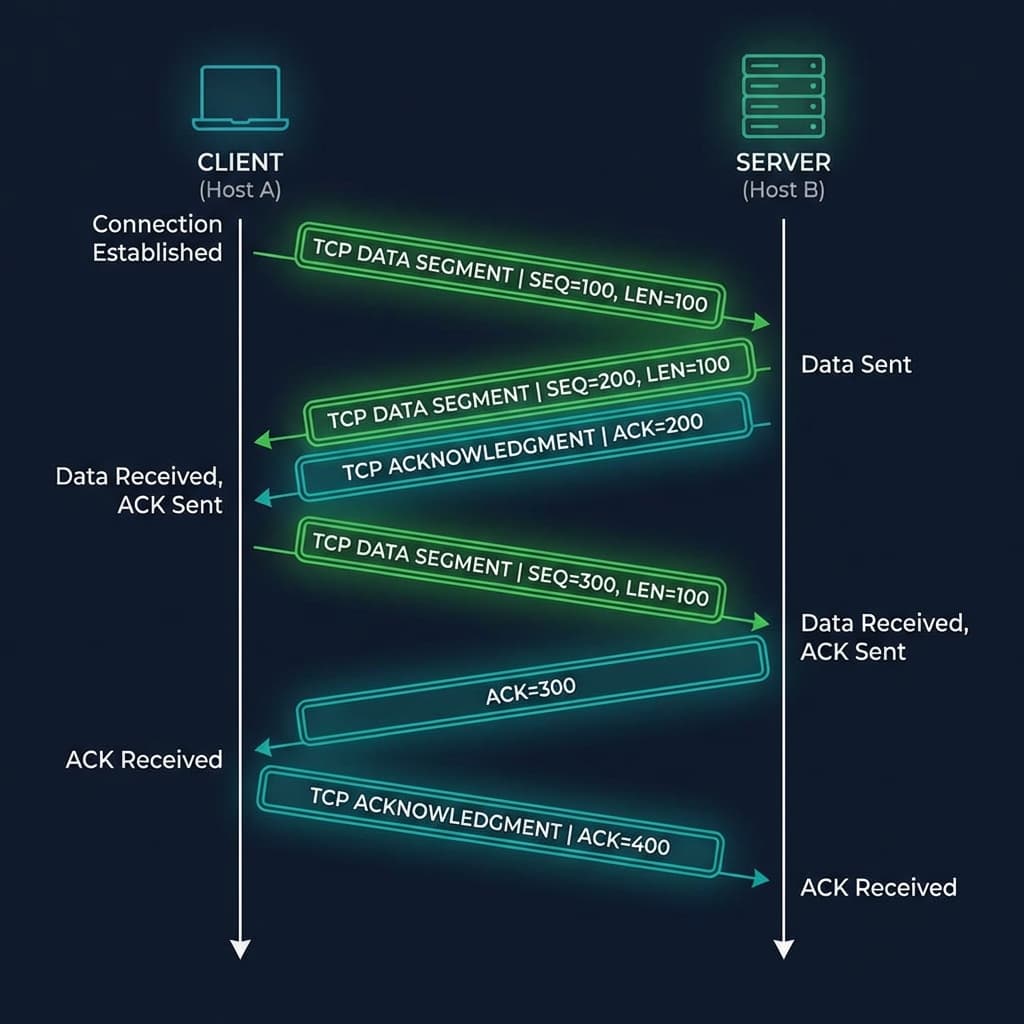 TCP data transfer showing sequence numbers and acknowledgments
The Flow
1. Client sends: SEQ=100, Data="Hello" (5 bytes)
2. Server receives and replies: ACK=105 (expecting byte 105 next)
3. Client sends: SEQ=105, Data="World" (5 bytes)
4. Server replies: ACK=110
Acknowledgment Rules
The ACK number tells the sender: "I've received everything up to this byte. Send me the next one."
ACK = Last received SEQ + Data length

If received SEQ=100 with 5 bytes:
   ACK = 100 + 5 = 105
Cumulative ACKs
TCP uses cumulative acknowledgments. ACK=105 means "I have all bytes up to 104." If the sender gets ACK=105, it knows bytes 100-104 were received successfully.
How TCP Ensures Reliability
TCP guarantees every byte arrives correctly through several mechanisms:
1. Acknowledgments
Every packet must be acknowledged. No ACK = sender assumes it's lost.
2. Timeouts & Retransmission
If no ACK arrives within a timeout period, the sender retransmits the packet.
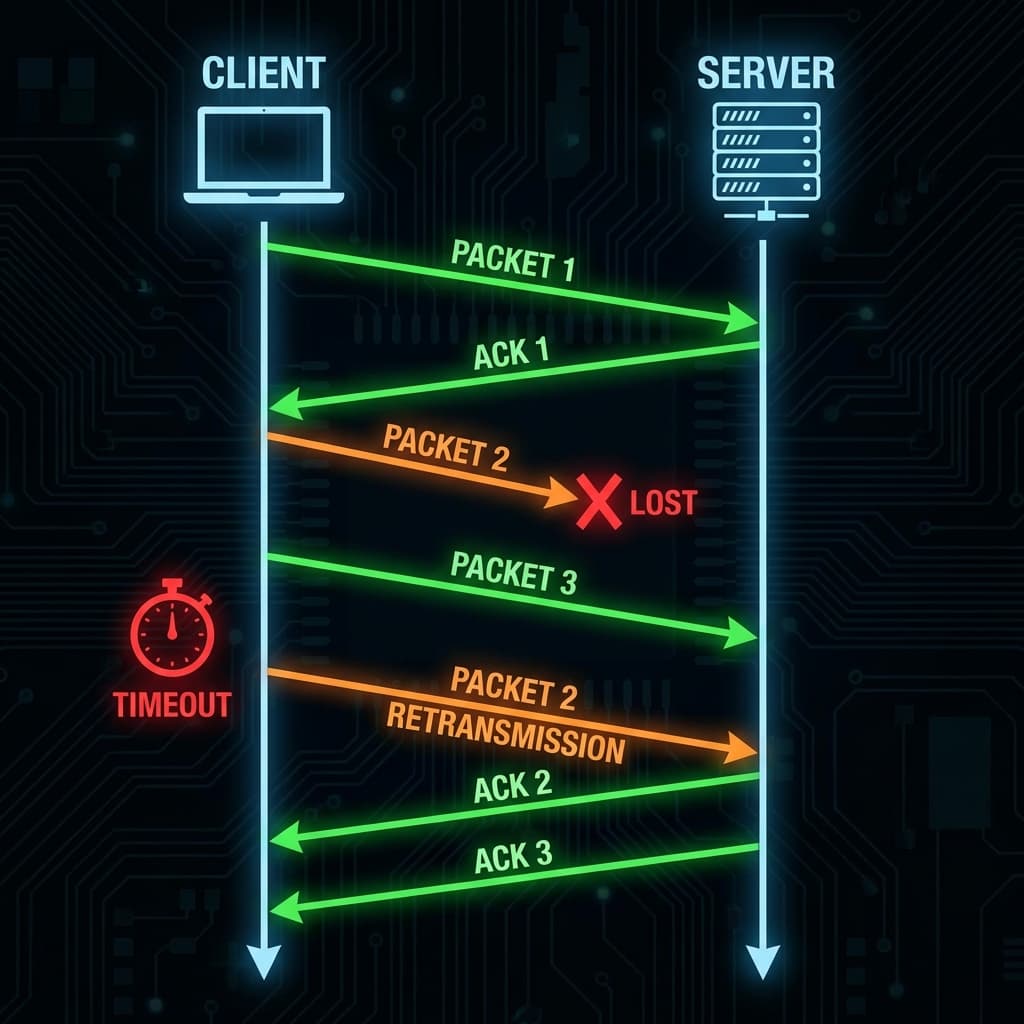 TCP packet loss and retransmission showing timeout and resend
1. Sender sends Packet 1 → ACK received ✓
2. Sender sends Packet 2 → LOST ✗
3. Sender sends Packet 3 → Server can't process (gap)
4. Timeout expires...
5. Sender retransmits Packet 2 → ACK received ✓
6. Server now processes Packets 2 and 3
Timeout Calculation
TCP dynamically calculates timeout based on network conditions. High latency networks get longer timeouts to avoid premature retransmissions.
3. Checksums
Every TCP segment includes a checksum – a mathematical fingerprint of the data. If the calculated checksum doesn't match, the packet is discarded.
Data: "Hello"
Checksum: 0x4F2A (calculated from data)

Receiver calculates checksum on received data.
If it matches 0x4F2A → Data is intact ✓
If it differs → Data is corrupted, discard ✗
4. Flow Control
TCP prevents the sender from overwhelming the receiver using a sliding window.
Receiver: "My buffer has room for 10,000 bytes"
Sender: "OK, I'll only send up to 10,000 bytes before waiting"

[Window Size = 10,000]
5. Congestion Control
TCP also monitors the network itself, slowing down if it detects congestion.
| Algorithm | Purpose |
|---|---|
| Slow Start | Start with small window, increase exponentially |
| Congestion Avoidance | Increase linearly after threshold |
| Fast Retransmit | Retransmit on 3 duplicate ACKs |
| Fast Recovery | Stay in congestion avoidance mode |
Ensuring Order and Correctness
Ordering
Packets may arrive out of order due to different network paths:
Sent: [1] [2] [3] [4] [5]
Arrives: [1] [3] [5] [2] [4]
TCP uses sequence numbers to reorder them:
Buffer after reordering: [1] [2] [3] [4] [5] ✓
Correctness
Multiple layers of verification:
- Sequence numbers → Correct ordering
- Checksums → Data integrity
- ACKs → Delivery confirmation
- Retransmission → Handle losses
How TCP Connections Are Closed
Just as connections are established with a handshake, they're closed gracefully with a 4-way handshake (sometimes called FIN handshake).
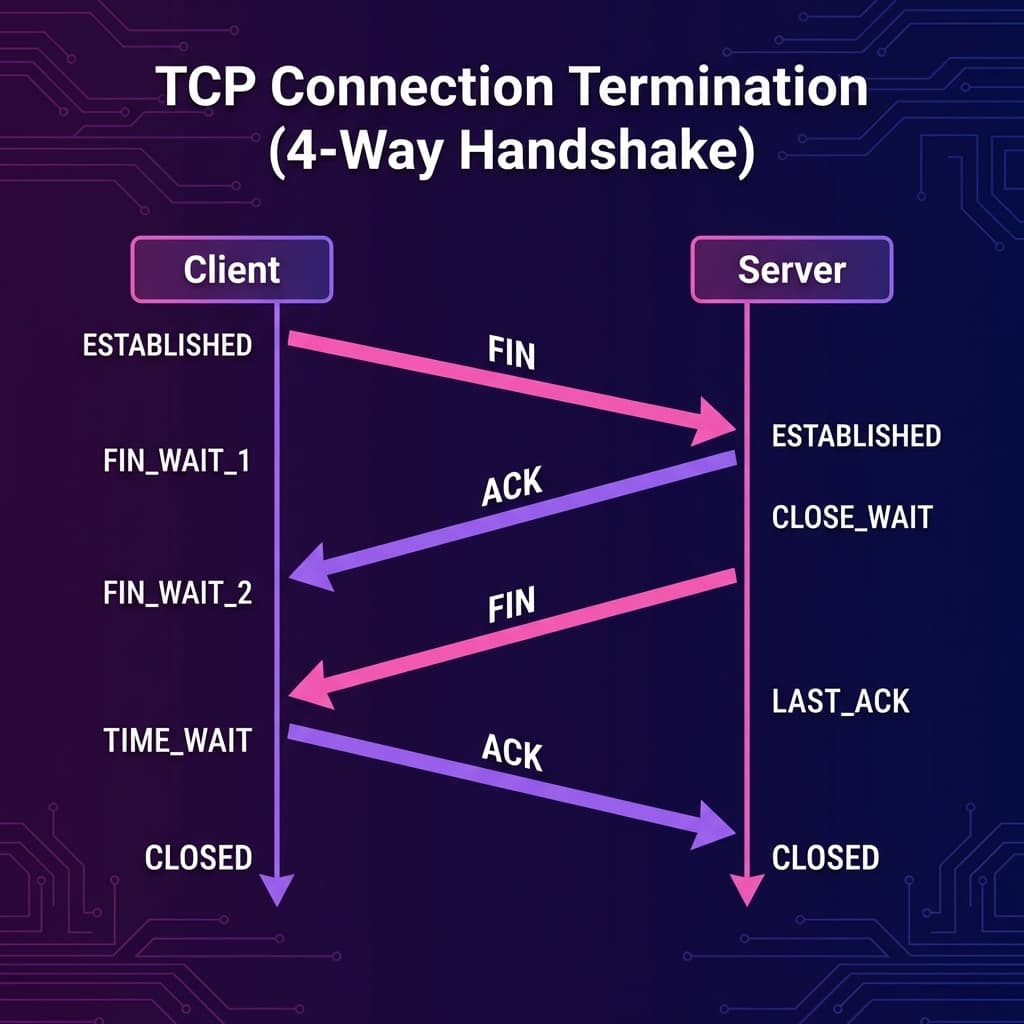 TCP connection termination 4-way handshake with FIN and ACK
The Four Steps
Step 1: Client Sends FIN
Client → Server
"I'm done sending data."

FIN, SEQ=400
Client enters FIN_WAIT_1 state.
Step 2: Server Sends ACK
Server → Client
"Got it, I acknowledge your finish request."

ACK=401
Client moves to FIN_WAIT_2. Server is in CLOSE_WAIT.
Step 3: Server Sends FIN
Server → Client
"I'm also done. Closing my side."

FIN, SEQ=500
Server enters LAST_ACK state.
Step 4: Client Sends ACK
Client → Server
"Acknowledged. Connection fully closed."

ACK=501
Client enters TIME_WAIT (waits 2×MSL), then CLOSED.
Server moves to CLOSED after receiving ACK.
Why TIME_WAIT?
The client waits in TIME_WAIT for about 2 minutes to ensure:
- The final ACK reaches the server
- Any delayed packets are cleared from the network
This prevents old packets from a closed connection being confused with a new one.
TCP Connection Lifecycle Summary
| Phase | Actions |
|---|---|
| Establish | 3-way handshake (SYN → SYN-ACK → ACK) |
| Transfer | Data segments with SEQ/ACK |
| Close | 4-way handshake (FIN → ACK → FIN → ACK) |
CLOSED
   │
   │ SYN
   ▼
SYN_SENT ────SYN-ACK────► ESTABLISHED
                              │
                              │ (data transfer)
                              │
                          FIN │
                              ▼
                         FIN_WAIT_1
                              │ ACK
                              ▼
                         FIN_WAIT_2
                              │ FIN
                              ▼
                         TIME_WAIT
                              │ (wait 2×MSL)
                              ▼
                           CLOSED
Practical Example: Loading a Webpage
Let's trace TCP when you visit https://example.com:
1. DNS resolves example.com → 93.184.216.34

2. TCP 3-Way Handshake:
   Browser → Server: SYN
   Server → Browser: SYN-ACK
   Browser → Server: ACK

3. TLS Handshake (for HTTPS)

4. HTTP Request/Response over TCP:
   Browser → Server: GET /index.html (SEQ=1000)
   Server → Browser: ACK=1050, 200 OK, HTML data
   Browser → Server: ACK=5000

5. Connection Close:
   Browser → Server: FIN
   Server → Browser: ACK
   Server → Browser: FIN
   Browser → Server: ACK
Key Takeaways
Remember These
- 3-way handshake establishes a connection (SYN → SYN-ACK → ACK)
- Sequence numbers track every byte of data
- Acknowledgments confirm receipt
- Timeouts & retransmission handle packet loss
- Checksums verify data integrity
- 4-way handshake closes connections gracefully
Quick Reference
| Term | Meaning |
|---|---|
| SYN | Synchronize – initiates connection |
| ACK | Acknowledge – confirms receipt |
| FIN | Finish – closes connection |
| SEQ | Sequence number – byte position |
| MSL | Maximum Segment Lifetime |
Conclusion
TCP is the unsung hero of the internet. Every time you:
- Load a webpage
- Send an email
- Download a file
- Make an API call
TCP is working behind the scenes, ensuring your data arrives completely, correctly, and in order.
Understanding TCP makes you a better developer because you can:
- Debug network issues more effectively
- Optimize application performance
- Make informed decisions about TCP vs UDP
- Ace technical interviews!
The next time you hit Send on a message, remember the elegant dance of SYNs, ACKs, and FINs making it all possible.
Happy networking! 🌐
Have questions about TCP or networking? Drop a comment or reach out on Twitter @srtenginamath!

Written by Sharanayya R Tenginamath
Software Engineer at McD BERL with 4 years building scalable full-stack applications with React.js, Next.js, TypeScript, FastAPI and Python. Available to join from Oct 12, 2026.
Related articles
- DNS
- Networking
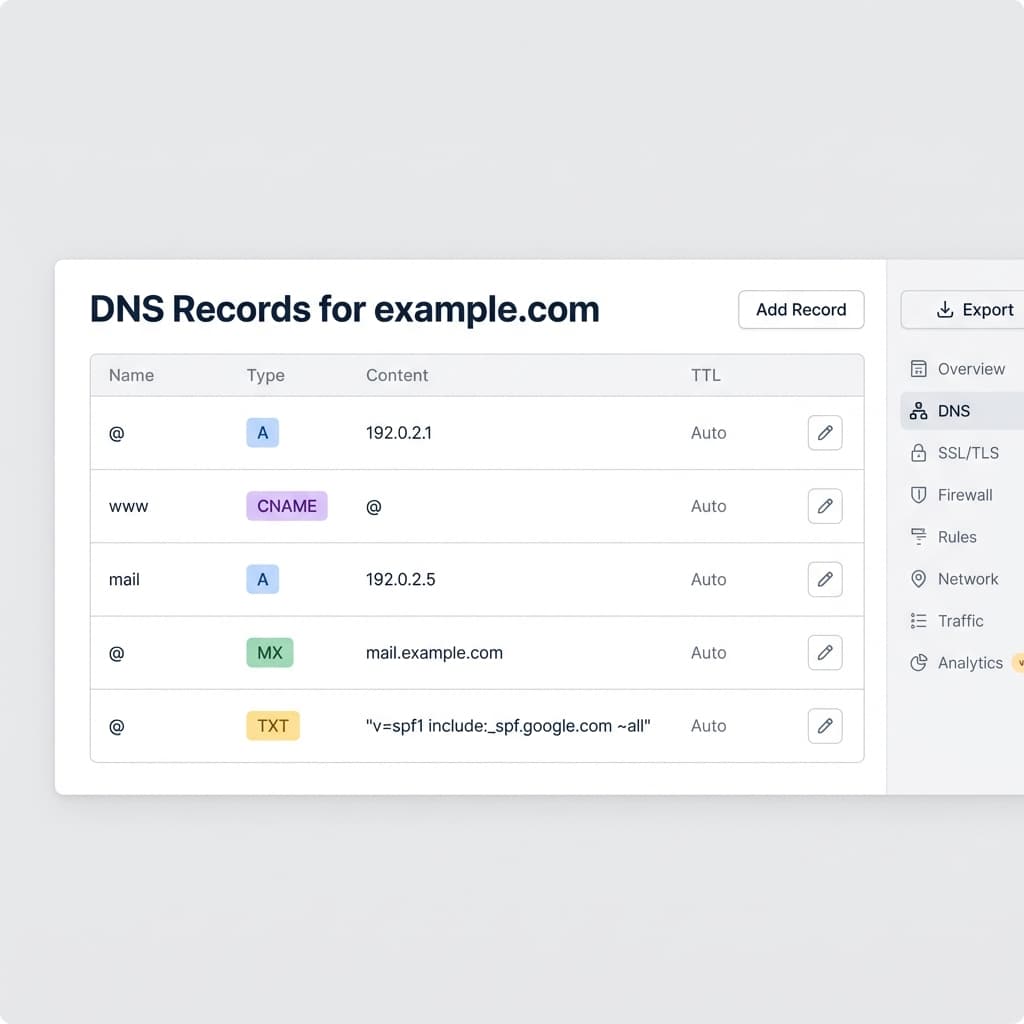
DNS Record Types Explained: A, CNAME, MX, and More
Understand how the internet's phonebook works. A simple guide to A, AAAA, CNAME, MX, and TXT records.
5 min read
- Networking
- TCP
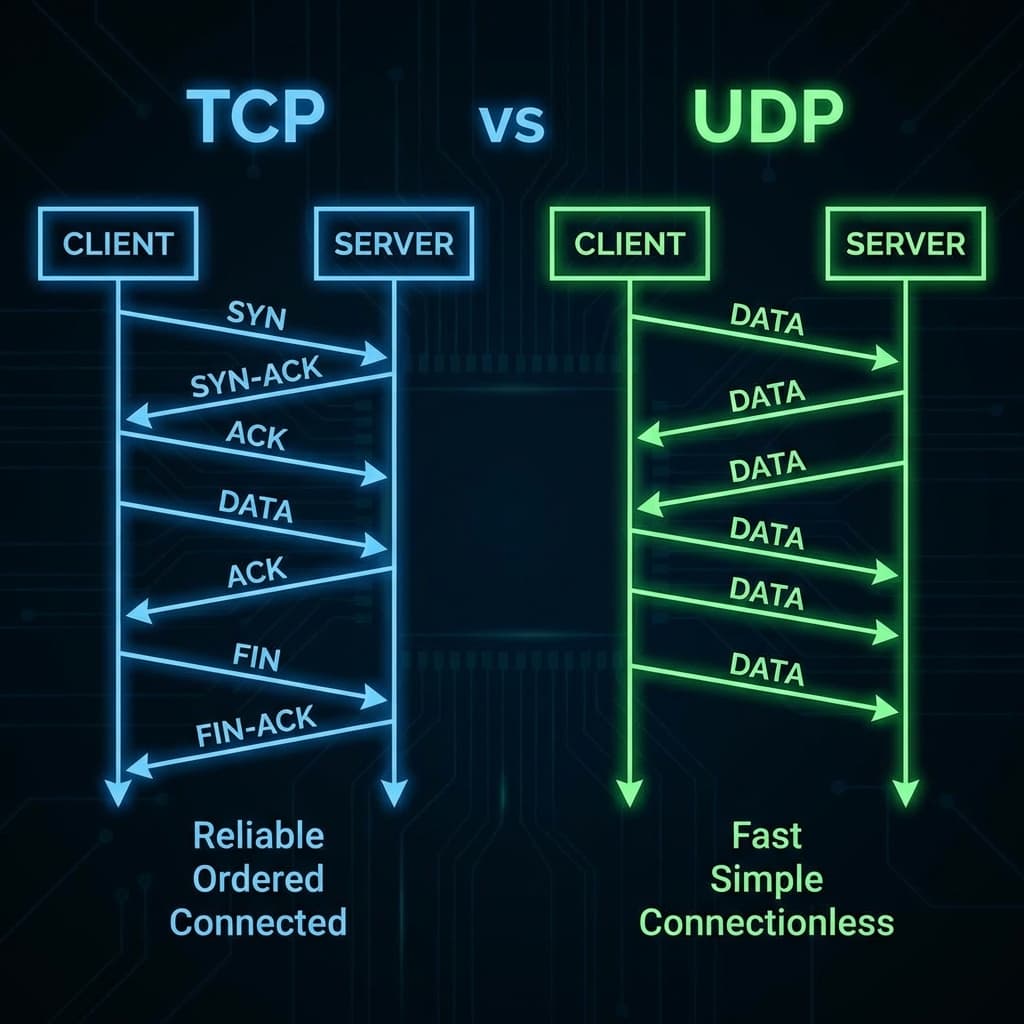
TCP vs UDP: When to Use What, and How TCP Relates to HTTP
Understand the key differences between TCP and UDP protocols. Learn when to use each, how HTTP works on top of TCP, and clear up the common confusion between transport and application layer protocols.
11 min read
- cURL
- API
Getting Started with cURL: A Beginner's Guide for Developers
Learn the basics of cURL, why developers love it, and how to make your first API requests from the command line.
6 min read