DNS Record Types Explained: A, CNAME, MX, and More
Understand how the internet's phonebook works. A simple guide to A, AAAA, CNAME, MX, and TXT records.
5 min read
Share
How does a browser know that google.com is actually living at IP address 142.250.190.46?
The answer is DNS (Domain Name System).
Think of DNS as the Phonebook of the Internet. Computers don't speak "names" (like facebook.com); they speak "numbers" (IP addresses). DNS translates the human-readable names we type into the machine-readable numbers servers use.
But your domain isn't just one single entry in this phonebook. It has different types of entries for different purposes (website, email, verification, etc.). These entries are called DNS Records.
Let's break down the most common ones you'll encounter as a developer.
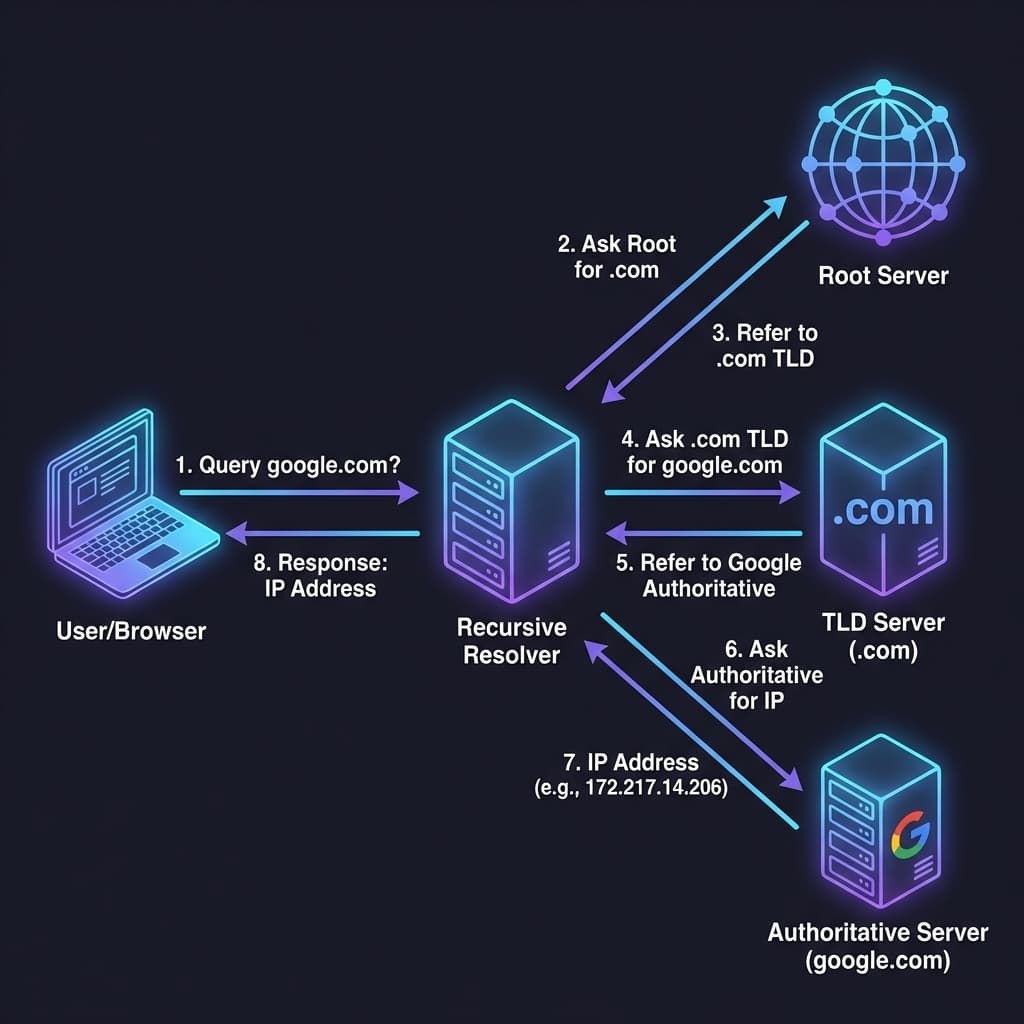
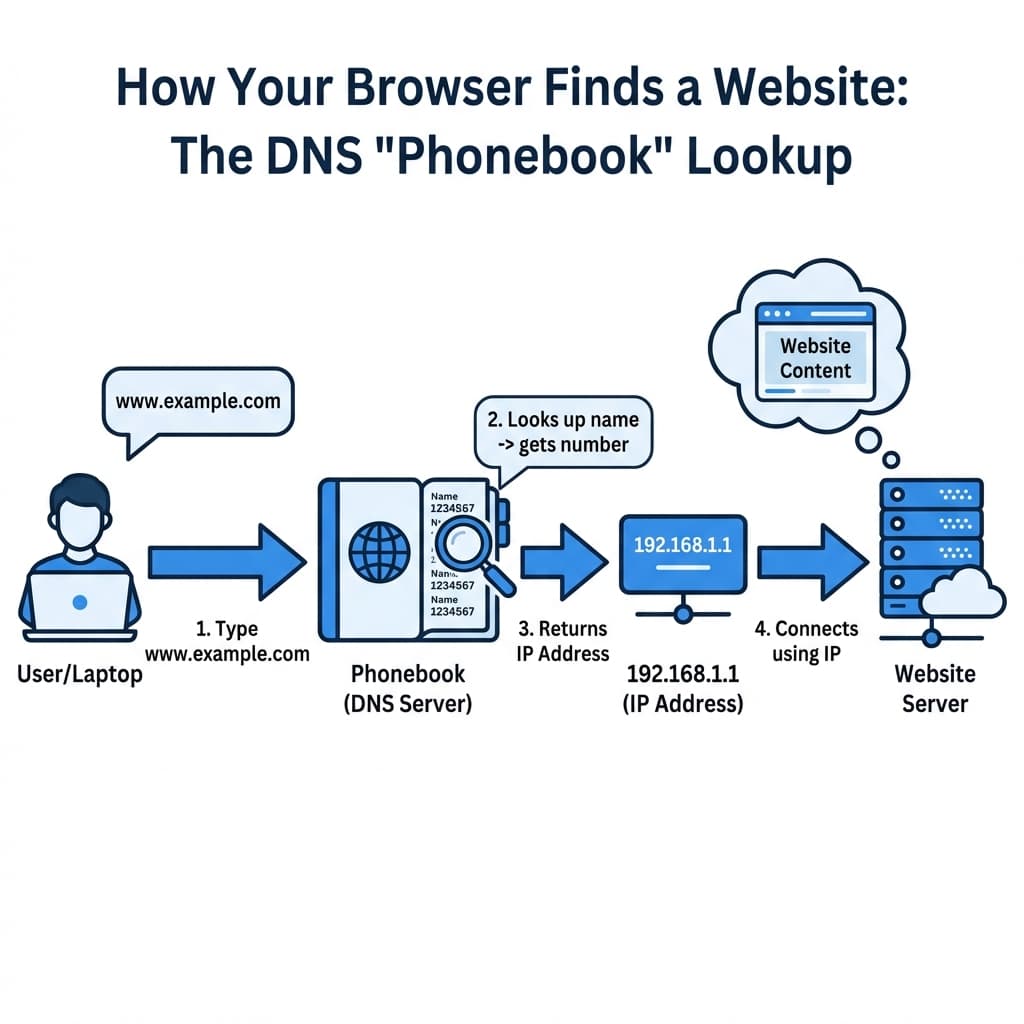 DNS Resolution Flow
1. A Record (Address Mapping)
The A Record is the most fundamental type. It stands for Address.
It maps a Domain Name directly to an IPv4 Address.
Analogy
"Where does John live?" -> "123 Main Street".
Example
| Type | Name | Content (IP) |
|---|---|---|
| A | example.com | 93.184.216.34 |
When you type example.com, the browser asks DNS: "What is the A record for example.com?" and gets 93.184.216.34 back.
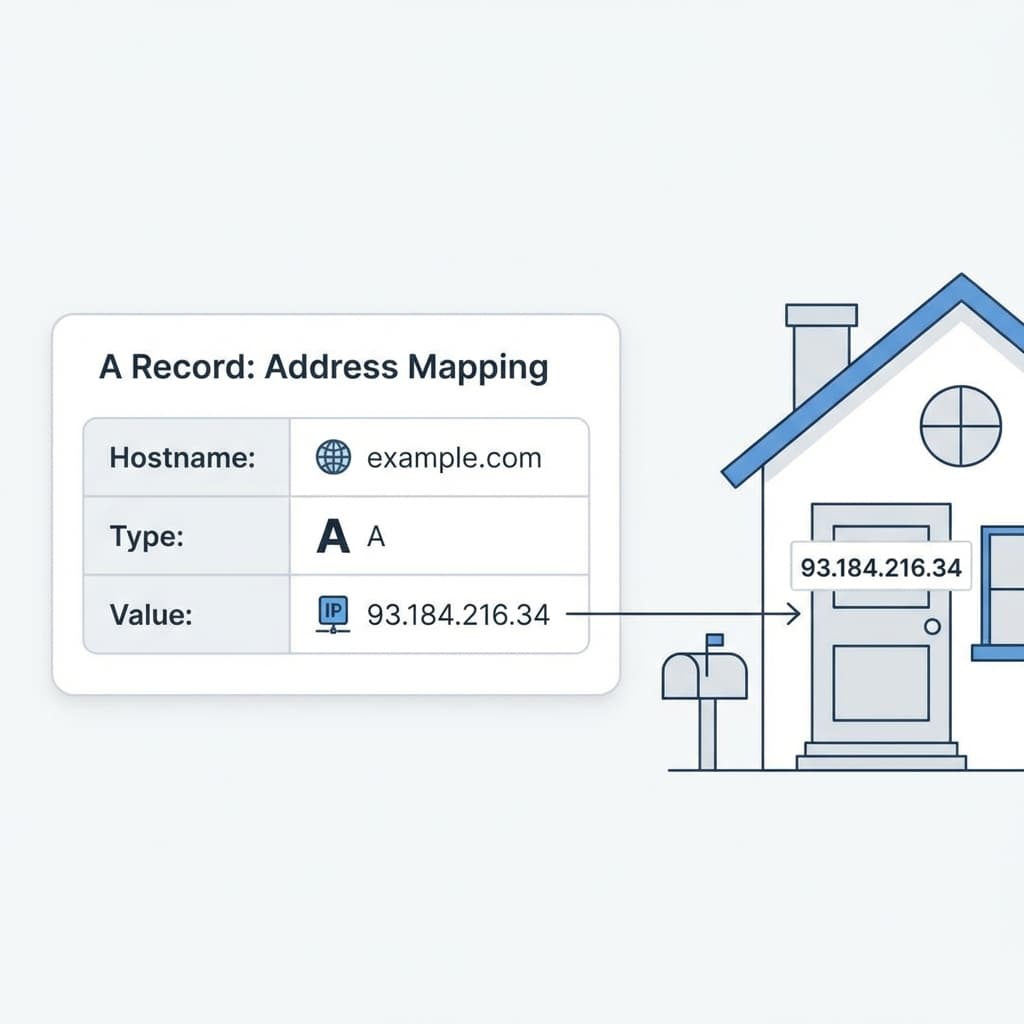 A Record Visualization
2. AAAA Record (IPv6 Address)
The AAAA Record (Quad-A) works exactly like the A record, but for IPv6 addresses.
Since we are running out of old IPv4 addresses (like 192.168.1.1), the internet is moving to IPv6 (which looks like 2001:0db8:85a3:0000:0000:8a2e:0370:7334).
- A Record = IPv4 (32-bit)
- AAAA Record = IPv6 (128-bit)
3. CNAME Record (Alias)
CNAME stands for Canonical Name. It maps one domain name to another domain name (not an IP).
Think of it as a Nickname or an Alias.
Why use CNAME?
If you ever change your server's IP address, you only have to update the main A record. All the CNAMEs pointing to it will automatically update because they just follow the name.
Example
You want www.example.com to point to the same place as example.com.
| Type | Name | Target |
|---|---|---|
| CNAME | www | example.com |
| A | example.com | 93.184.216.34 |
Flow:
- Browser asks for
www.example.com. - DNS says: "Oh, that's just an alias for
example.com." - Browser then looks up
example.com. - DNS returns the IP
93.184.216.34.
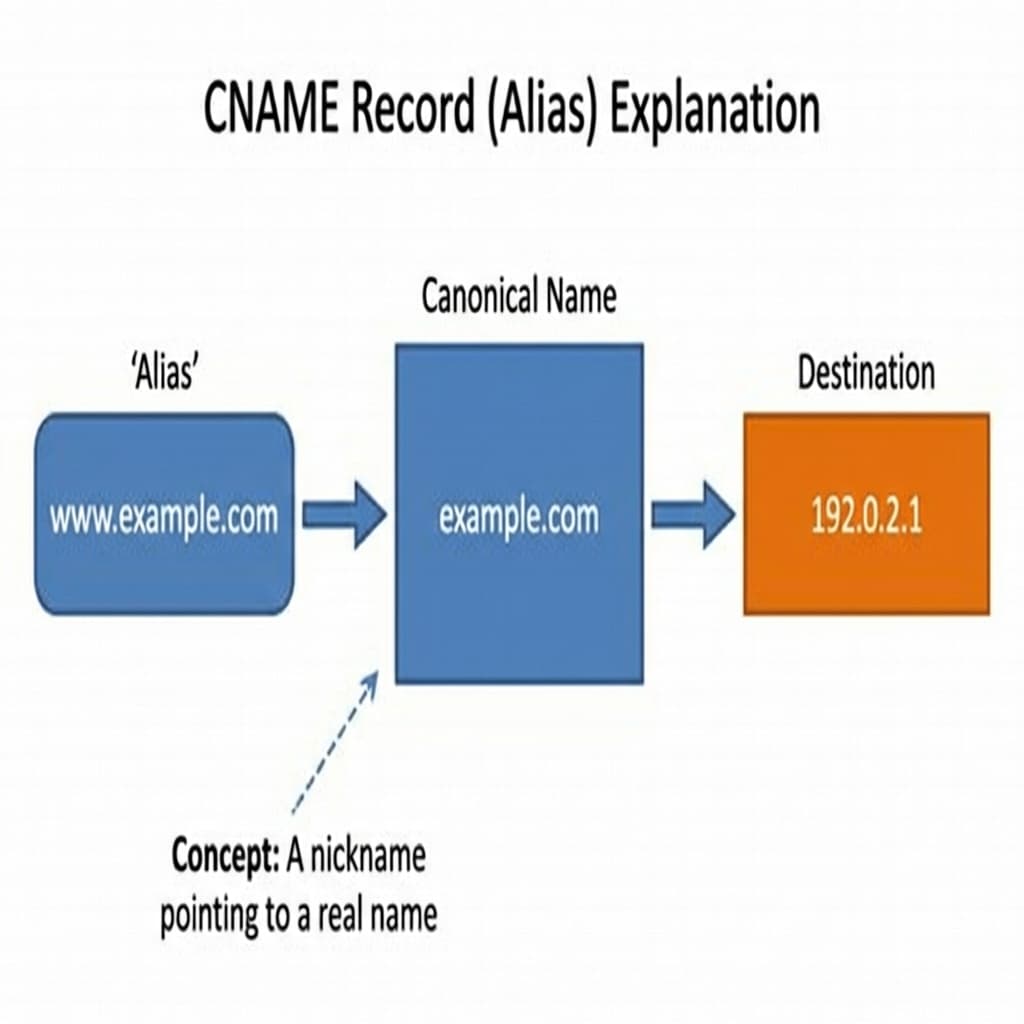 CNAME Record Explanation
4. MX Record (Mail Exchange)
MX Records tell the world which servers handle Emails for your domain.
When you send an email to user@example.com, the sending mail server looks up the MX record to know where to deliver the message.
Common Confusion
MX records must point to a Domain Name, never directly to an IP address. They also have a Priority number (lower number = higher priority).
Example
| Type | Name | Priority | Content |
|---|---|---|---|
| MX | @ | 10 | mail.google.com |
| MX | @ | 20 | backup-mail.google.com |
 MX Record Email Flow
One domain, several record types, each answering a different question:
1/4
5. NS Record (Name Server)
NS Records indicate which DNS server is the "Authority" for your domain.
Basically, it says: "I don't know the answer, but THESE servers do. Go ask them."
When you buy a domain from GoDaddy but host it on AWS Route53, you update the NS records at GoDaddy to point to AWS.
Example
ns-invalid.awsdns-12.comns-invalid.awsdns-12.net
6. TXT Record (Text Information)
TXT Records let you store arbitrary text in DNS.
Originally for notes, they are now used heavily for Verification and Security.
Common Uses
- Domain Verification: proving you own the domain (Google/Facebook verification).
- SPF (Sender Policy Framework): preventing email spam.
- DKIM: cryptographic signatures for email.
Example
| Type | Name | Content |
|---|---|---|
| TXT | @ | google-site-verification=AbCdEfG123... |
| TXT | @ | v=spf1 include:_spf.google.com ~all |
Putting It All Together
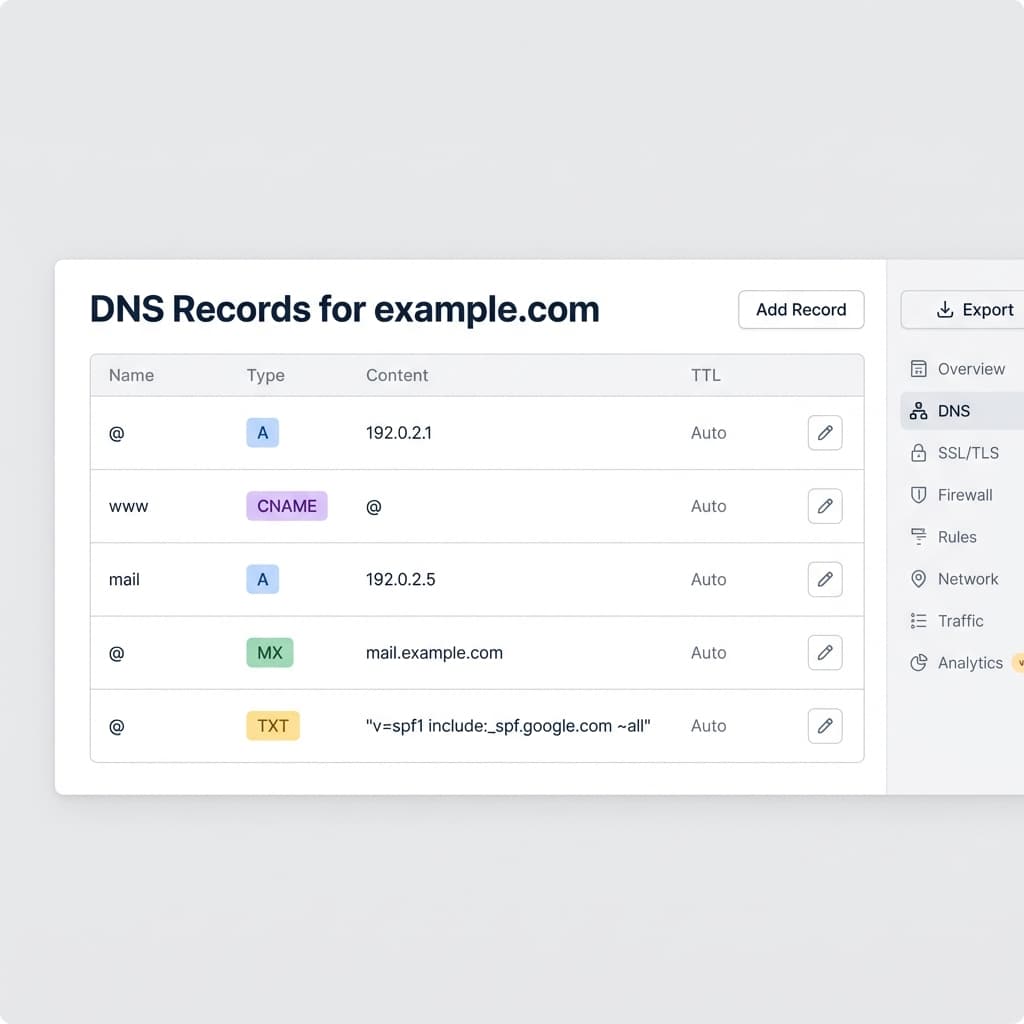
Here is what a real-world DNS configuration for a small website might look like:
Full DNS Setup Dashboard
| Type | Host | Value | Purpose |
|---|---|---|---|
| A | @ | 192.168.1.1 | Main website |
| CNAME | www | @ (root) | www redirection |
| CNAME | blog | hashnode.network | External blog hosting |
| MX | @ | smtp.google.com | GSuite Email |
| TXT | @ | v=spf1... | Email Security |
Summary
- DNS converts Names -> IP Addresses.
- A Record: Points a name to an IPv4 IP (The most important one).
- AAAA Record: Points a name to an IPv6 IP.
- CNAME: Points a name to another name (Alias).
- MX: Points to Email Servers.
- TXT: Holds text for Verification/Security.
Understanding these records is the first step to debugging connection issues, setting up professional emails, and hosting your own applications!

Written by Sharanayya R Tenginamath
Software Engineer at McD BERL with 4 years building scalable full-stack applications with React.js, Next.js, TypeScript, FastAPI and Python. Available to join from Oct 12, 2026.
Related articles
- Networking
- DNS
How DNS Resolution Works: A Complete Guide with dig Commands
Understand DNS resolution from root servers to authoritative servers. Learn to use the dig command to trace DNS lookups, understand NS records, and see how your browser finds IP addresses.
12 min read

- Networking
- TCP
TCP Working: 3-Way Handshake & Reliable Communication Explained
Learn how TCP ensures reliable data transmission over the internet. Understand the 3-way handshake, sequence numbers, acknowledgments, retransmission, and connection termination with clear diagrams.
10 min read

- cURL
- API
Getting Started with cURL: A Beginner's Guide for Developers
Learn the basics of cURL, why developers love it, and how to make your first API requests from the command line.
6 min read