Next.js 16 Deep Dive – Cache Components, React Compiler & Production Best Practices
A comprehensive guide to Next.js 16 features including Partial Pre-Rendering (PPR), React Compiler, Turbopack, and production-grade optimizations. Learn with diagrams and code examples.
7 min read
Share
- What's New in Next.js 16?
- Understanding PPR – Partial Pre-Rendering
- How PPR Works
- Enable PPR in Your Project
- React Compiler – Automatic Optimization
- Before vs After React Compiler
- Enable React Compiler
- Turbopack – The New Default Bundler
- Performance Comparison
- Enable File System Caching
- Using the "use cache" Directive
- Cache with Tags
- Server Actions Best Practices
- Using updateTag for Read-Your-Writes
- Complete Configuration Example
- Migration Checklist
- Performance Results
- Conclusion
- Resources
Welcome to this comprehensive guide on Next.js 16! In this post, we'll explore all the exciting new features with diagrams, code examples, and real-world applications.
What's New in Next.js 16?
Next.js 16 brings revolutionary changes to how we build web applications. Here's a quick overview:
| Feature | Benefit |
|---|---|
| Cache Components (PPR) | Instant navigation with static shells |
| React Compiler | Automatic memoization, zero code changes |
| Turbopack Stable | 2-5x faster production builds |
| View Transitions | Native browser animation support |
Pro Tip
This guide covers production-grade implementations. Make sure you're running Next.js 16.1+ to access all features.
Understanding PPR – Partial Pre-Rendering
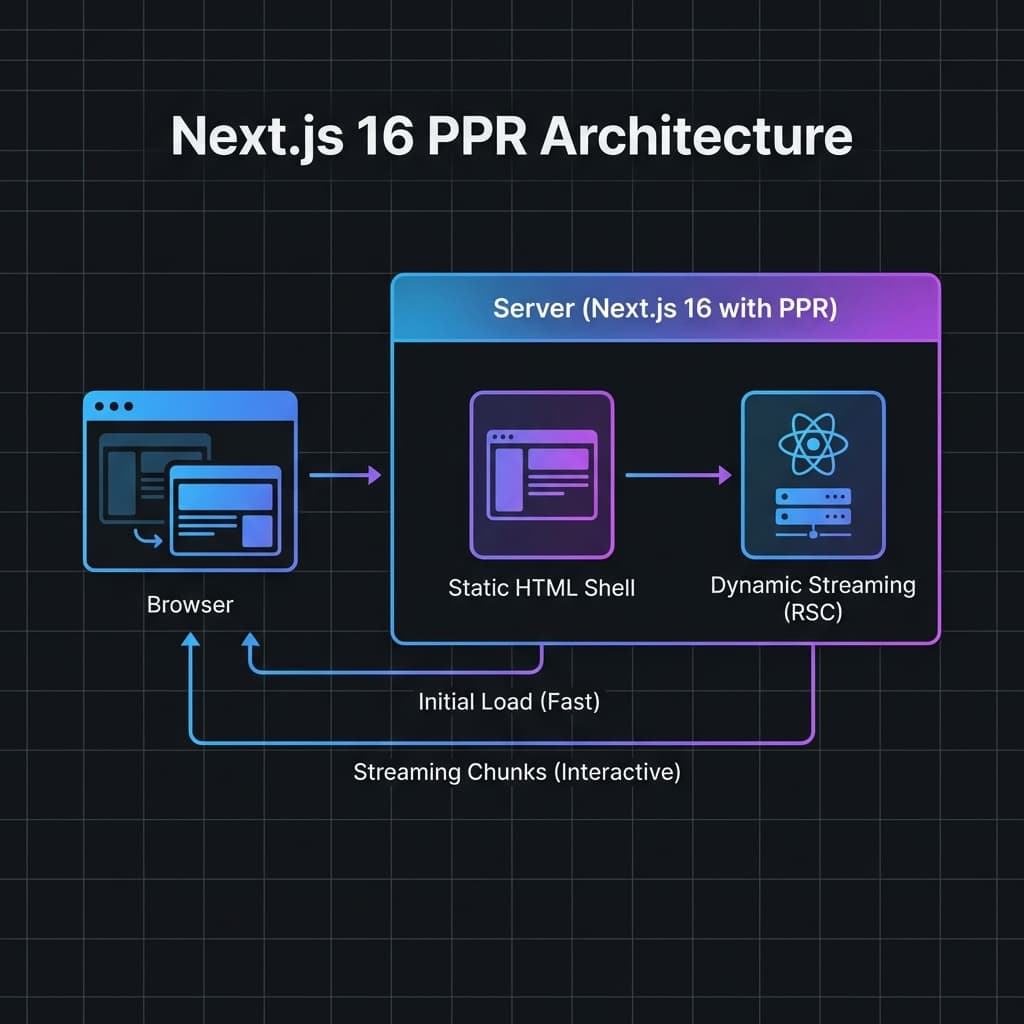
Partial Pre-Rendering (PPR) is a game-changer for web performance. Let's visualize how it works:
Next.js 16 PPR Architecture showing the flow from Browser to Server with Static Shell and Dynamic Streaming
How PPR Works
- Build Time: Static HTML shell is pre-generated
- Request Time: Shell serves instantly
- Streaming: Dynamic content streams in progressively
Enable PPR in Your Project
// next.config.ts
const nextConfig = {
  cacheComponents: true, // Enables PPR
};

export default nextConfig;
Info
PPR requires React 19+ and is automatically enabled when you set cacheComponents: true in your Next.js config.
Partial Pre-Rendering sends two things per request. Step through it:
1/4
React Compiler – Automatic Optimization
The React Compiler analyzes your components and automatically adds memoization. No more manual useMemo or useCallback!
 React Compiler automatic memoization flow showing before and after optimization
Before vs After React Compiler
Before (Manual Memoization):
function ProductList({ products, onSelect }) {
  // Manual memoization required
  const sortedProducts = useMemo(() =>
    products.sort((a, b) => a.price - b.price),
    [products]
  );

  const handleClick = useCallback((id) => {
    onSelect(id);
  }, [onSelect]);

  return sortedProducts.map(p => (
    <ProductCard
      key={p.id}
      product={p}
      onClick={handleClick}
    />
  ));
}
After (With React Compiler):
// No manual memoization needed!
function ProductList({ products, onSelect }) {
  const sortedProducts = products.sort((a, b) => a.price - b.price);

  const handleClick = (id) => {
    onSelect(id);
  };

  return sortedProducts.map(p => (
    <ProductCard
      key={p.id}
      product={p}
      onClick={handleClick}
    />
  ));
}
Build Time Impact
React Compiler uses Babel and may increase build times by 10-20%. The runtime performance gains usually outweigh this cost.
Enable React Compiler
First, install the compiler:
npm install babel-plugin-react-compiler@latest
Then enable it in your config:
// next.config.ts
const nextConfig = {
  reactCompiler: true,
};
Turbopack – The New Default Bundler
Turbopack is now the default bundler for all Next.js 16 projects. Here's what you get:
Performance Comparison
| Metric | Webpack | Turbopack | Improvement |
|---|---|---|---|
| Cold Start | 8.2s | 1.6s | 5x faster |
| Fast Refresh | 350ms | 35ms | 10x faster |
| Production Build | 45s | 18s | 2.5x faster |
Enable File System Caching
For even faster development, enable filesystem caching:
// next.config.ts
const nextConfig = {
  experimental: {
    turbopackFileSystemCacheForDev: true,
  },
};
Cold Start Optimization
With filesystem caching, subsequent dev server starts reuse cached compilation results. This is especially beneficial for large codebases.
Using the "use cache" Directive
The "use cache" directive lets you mark functions for caching:
// data.ts
"use cache";

export async function getProducts() {
  const products = await db.products.findMany();
  return products;
}
Cache with Tags
For fine-grained control, use cache tags:
import { cacheTag, revalidateTag } from 'next/cache';

async function getProduct(id: string) {
  "use cache";
  cacheTag(`product-${id}`);

  return await db.products.findUnique({ where: { id } });
}

// Invalidate specific product
async function updateProduct(id: string, data: ProductData) {
  await db.products.update({ where: { id }, data });
  revalidateTag(`product-${id}`, 'max');
}
Server Actions Best Practices
Using updateTag for Read-Your-Writes
"use server";

import { updateTag } from 'next/cache';

export async function updateUserProfile(
  userId: string,
  profile: ProfileData
) {
  // Update database
  await db.users.update(userId, profile);

  // Immediately expire and refresh cache
  // User sees their changes right away
  updateTag(`user-${userId}`);
}
Important Difference
revalidateTag()– Stale-while-revalidate (eventual consistency)updateTag()– Read-your-writes (immediate consistency)
Use updateTag() for forms and user actions where immediate feedback is expected.
Complete Configuration Example
Here's a production-ready Next.js 16 configuration:
// next.config.ts
import type { NextConfig } from "next";

const nextConfig: NextConfig = {
  // Enable Cache Components (PPR)
  cacheComponents: true,

  // Enable React Compiler
  reactCompiler: true,

  // Experimental features
  experimental: {
    // Turbopack file caching for faster dev
    turbopackFileSystemCacheForDev: true,
  },

  // Optimized image handling
  images: {
    remotePatterns: [
      {
        protocol: "https",
        hostname: "**",
      },
    ],
    minimumCacheTTL: 60,
  },
};

export default nextConfig;
Migration Checklist
If you're upgrading from Next.js 15, here's what to check:
- Remove
runtime = "edge"from routes (incompatible with PPR) - Update
revalidateTag()calls to include cache profile - Rename
middleware.tstoproxy.ts(optional, middleware is deprecated) - Update
@types/reactto v19 - Test all pages after enabling
cacheComponents
Performance Results
After implementing these optimizations, you should see:
| Metric | Before | After | Improvement |
|---|---|---|---|
| LCP (Largest Contentful Paint) | 2.4s | 0.8s | 3x faster |
| FCP (First Contentful Paint) | 1.8s | 0.3s | 6x faster |
| TTI (Time to Interactive) | 3.2s | 1.2s | 2.7x faster |
Tip
Use Vercel Analytics or Lighthouse to measure your actual improvements. Results vary based on your specific application architecture.
Conclusion
Next.js 16 represents a significant leap forward in web development:
- PPR delivers instant page loads with progressive enhancement
- React Compiler eliminates manual optimization boilerplate
- Turbopack dramatically improves developer experience
- New caching APIs provide fine-grained control over data freshness
The best part? Most of these features require minimal code changes – just update your configuration and you're ready to go!
Resources
Have questions about Next.js 16? Drop a comment or reach out on Twitter!

Written by Sharanayya R Tenginamath
Software Engineer at McD BERL with 4 years building scalable full-stack applications with React.js, Next.js, TypeScript, FastAPI and Python. Available to join from Oct 12, 2026.
Related articles
- JavaScript
- Async
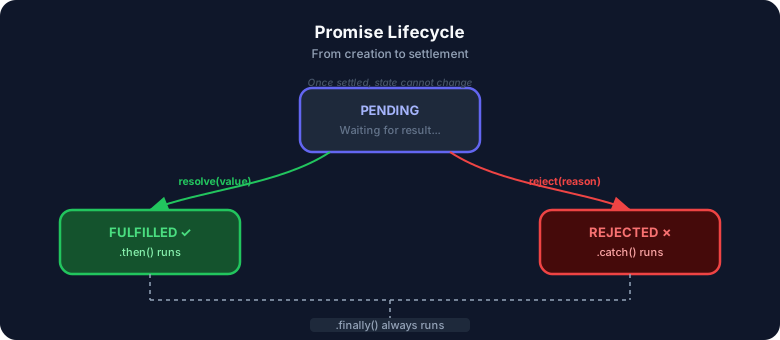
JavaScript Promises : The Complete Guide to Async Code
Master JavaScript Promises from scratch — lifecycle, .then()/.catch()/.finally(), all static methods (all, allSettled, race, any), real-world examples, visual diagrams, and hands-on assignments. Written from 4+ years of full-stack development experience.
17 min read
- JavaScript
- Web Development
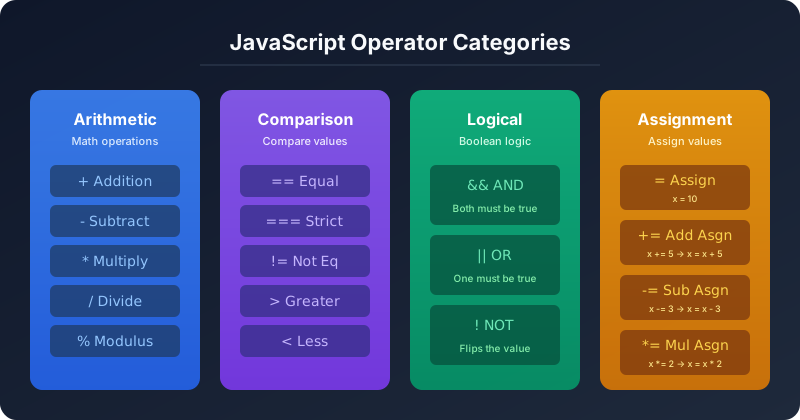
JavaScript Operators — The Basics You Need to Know
Master JavaScript operators — arithmetic, comparison, logical, and assignment — with real-world examples, visual diagrams, truth tables, and hands-on assignments. A practical guide from 4+ years of full-stack development.
19 min read

- JavaScript
- Web Development
Understanding Variables and Data Types in JavaScript — The Complete Beginner's Guide
Learn JavaScript variables (var, let, const) and data types with real-life analogies, clear code examples, comparison diagrams, and hands-on assignments. A practical guide written from 4+ years of full-stack development experience.
15 min read